 Magnetite
Music player in the MacBook notch
Updated 31 October 2026
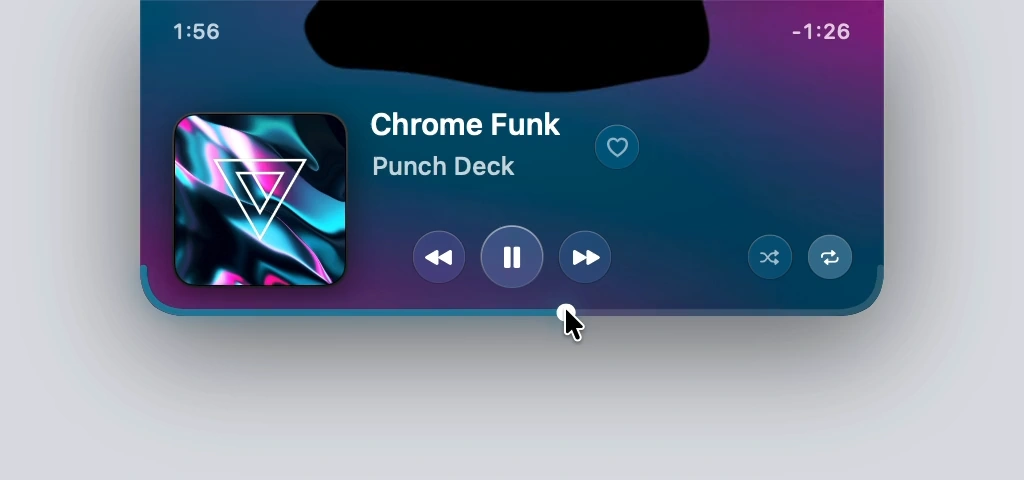
Magnetite is a free, open-source music player that lives in the notch of a MacBook. Hover the notch and a small player opens with the controls for Spotify or Apple Music, while black liquid moves with the song. It needs macOS 26 on Apple silicon. Download Magnetite v0.1.15, a 783 KB ZIP.
How it opens
Hover the notch to open the player. Move away and it folds back into the notch, keeping the cover, the elapsed time and the liquid beside the camera. It hides on the lock screen and over detected fullscreen apps.
What it controls
Only the Spotify and Apple Music desktop apps. It doesn’t control browser tabs, YouTube or Podcasts.
- Play, pause, previous and next.
- Seek by dragging the bottom edge of the player.
- Skip or pause with a two-finger swipe.
- Volume and brightness, shown in the notch.
- Favorites in Apple Music, and likes, shuffle and repeat in Spotify.
Without a notch
Displays without a notch get a floating pill.
What it needs
macOS 26 or later on Apple silicon. Magnetite asks for two permissions: Automation, to control Spotify or Apple Music, and Screen & System Audio Recording, for the liquid. The sound is read in memory and never saved or sent. There is no account and no tracking.
Free and open source
Magnetite is free and open source under the MIT license. The source is on GitHub, and every release has a SHA-256 checksum.